Trade alerts
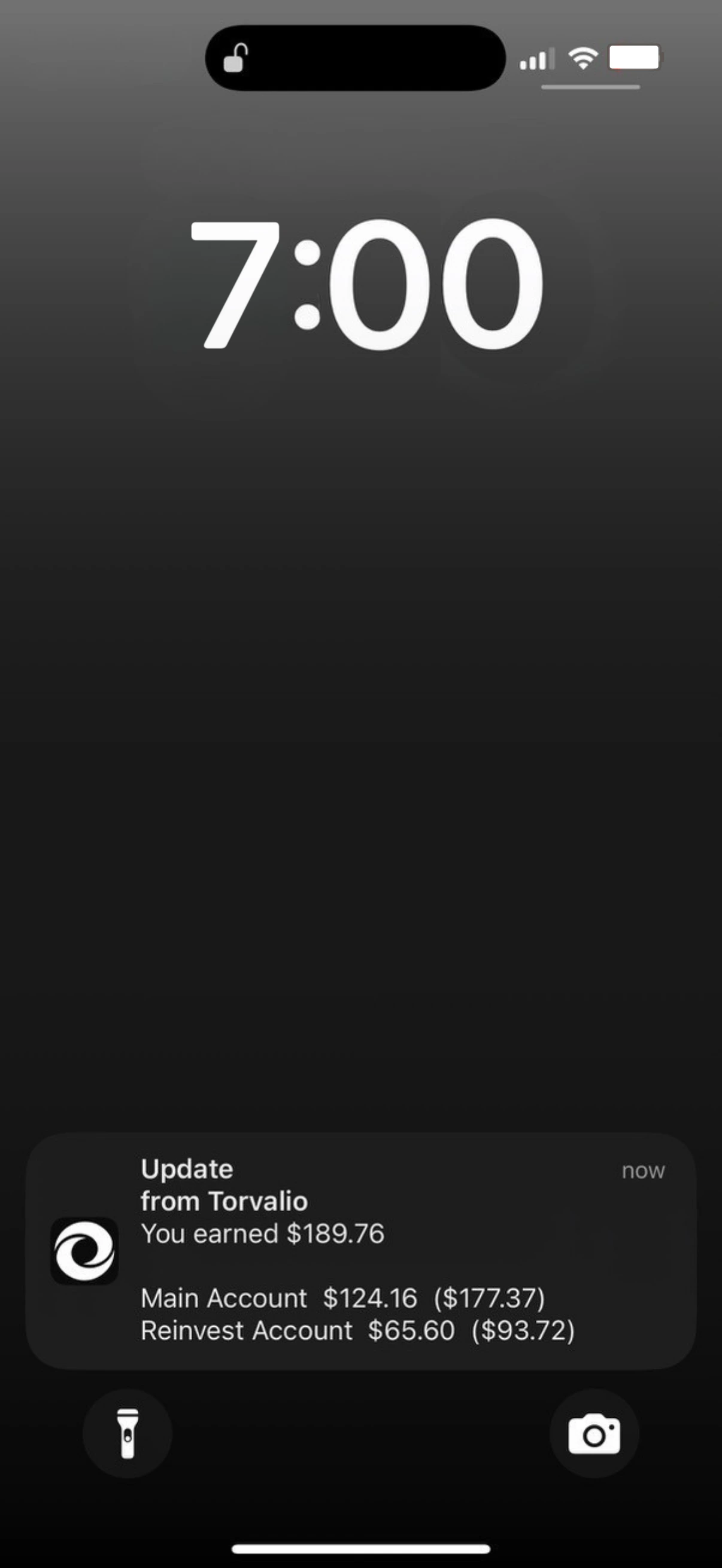
A push the moment a position closes, with your share on the lock screen. The total, then each account under it, in the names you gave them.
The all-in-one app with powerful tools for trade alerts, performance tracking and financial planning.
Read-only access. Torvalio cannot place trades.
Works with CopyX accounts on MetaTrader 5.
MetaTrader only tells you what happened to the position.Torvalio tells you what happened to you, and what happens next.
Nothing here needs adjusting in your head. All your CopyX accounts are added together, the platform’s 30% is already taken out, so the figure on the screen is the figure that is yours.
A push the moment a position closes, with your share on the lock screen. The total, then each account under it, in the names you gave them.
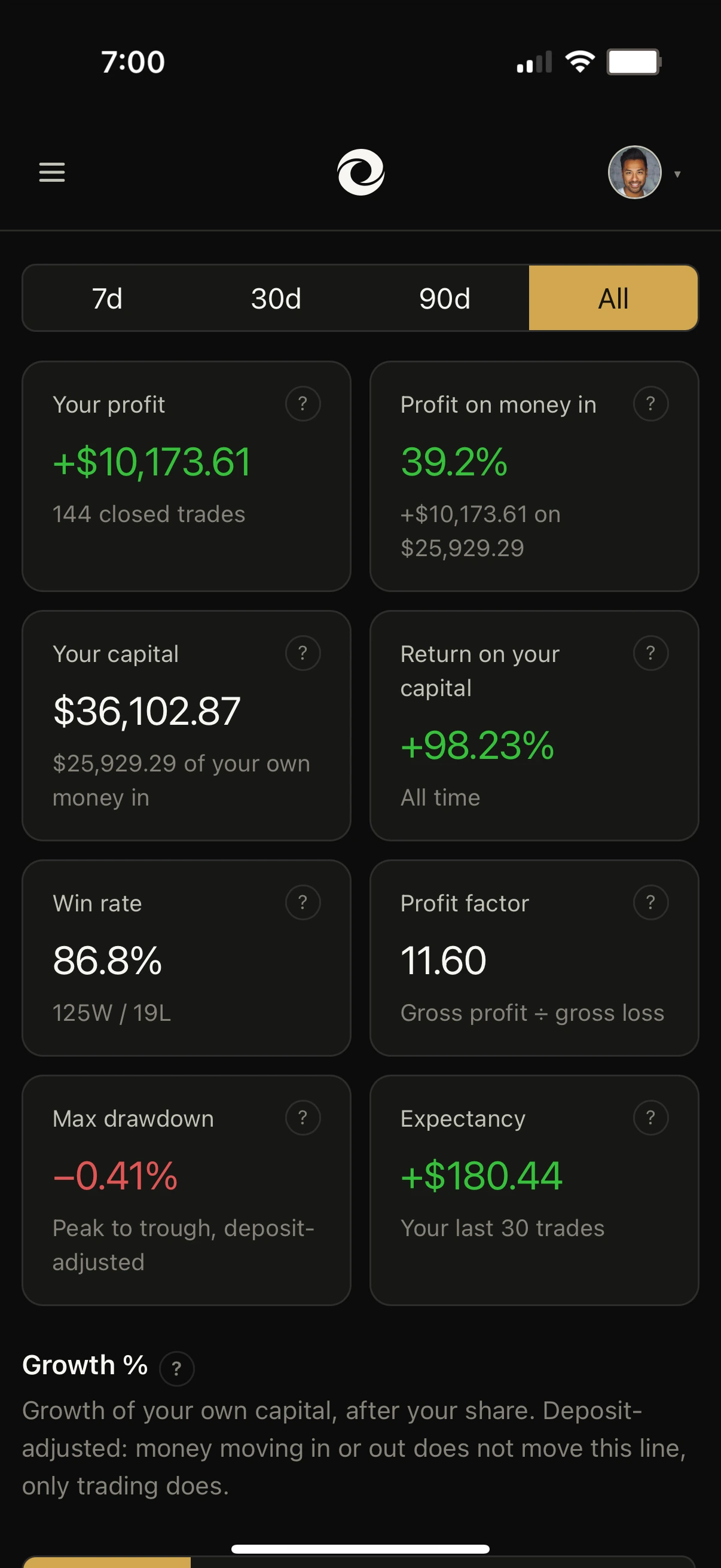
Profit, return, win rate, profit factor, expectancy and drawdown, every one already scaled to what you keep rather than to the position.
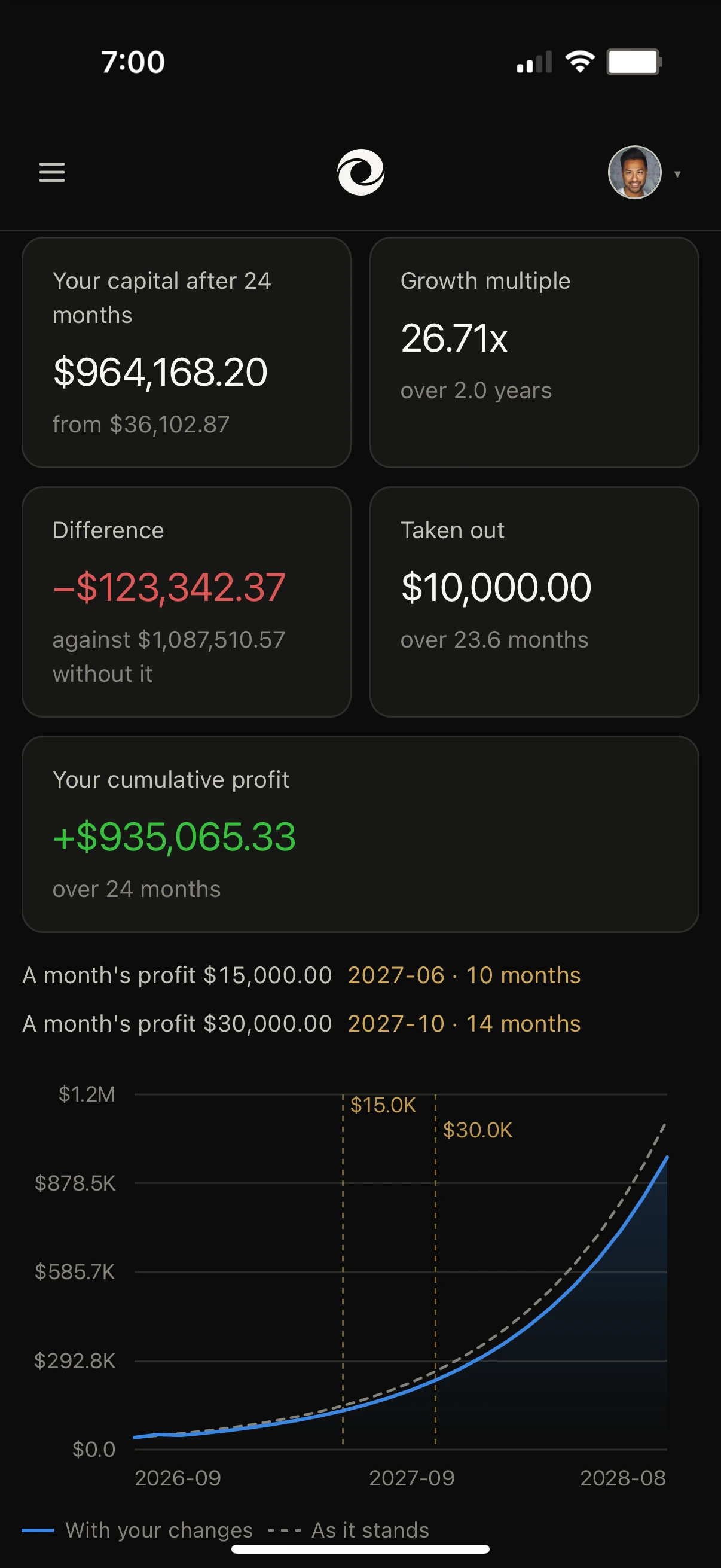
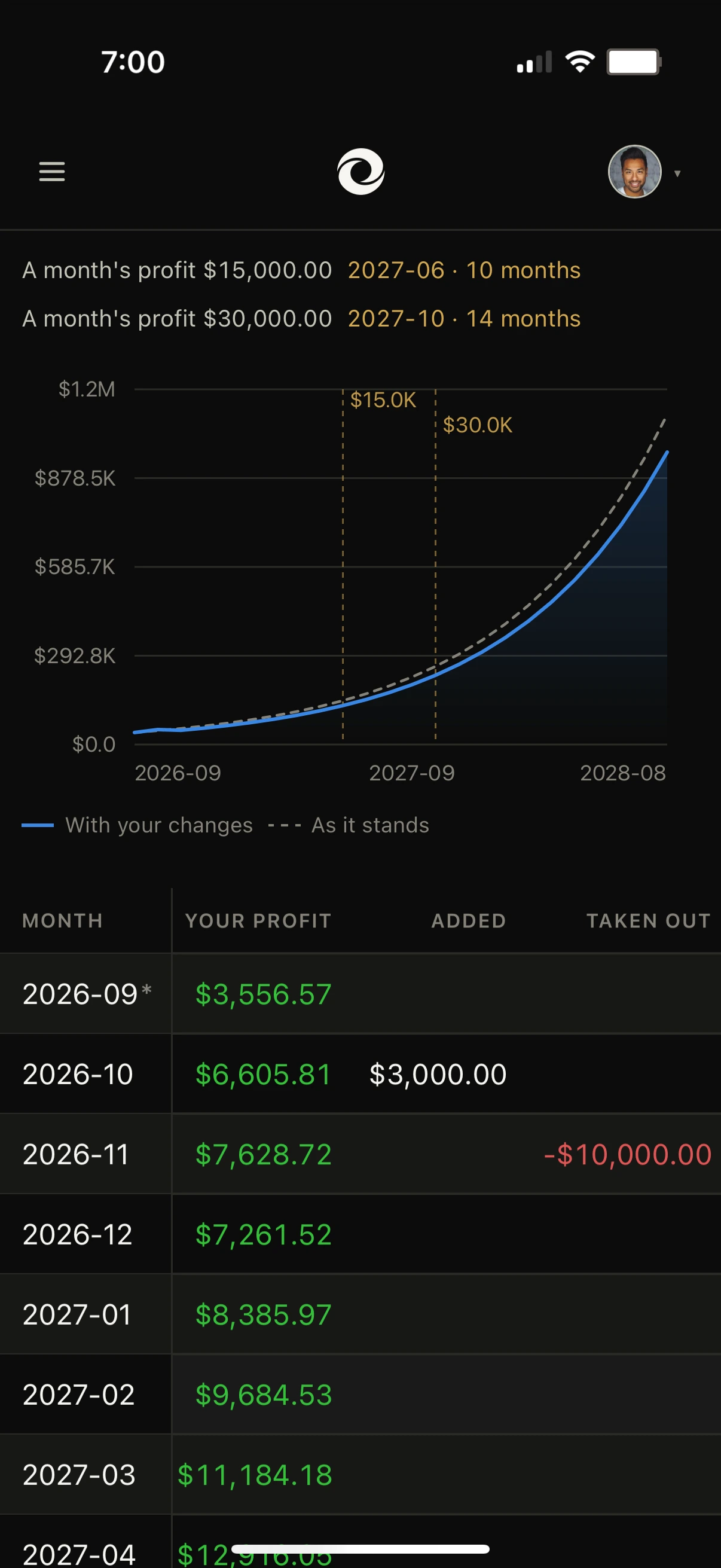
Your own rate compounded forward, with money in, money out and the targets you are aiming at, so a decision has a price before you make it.
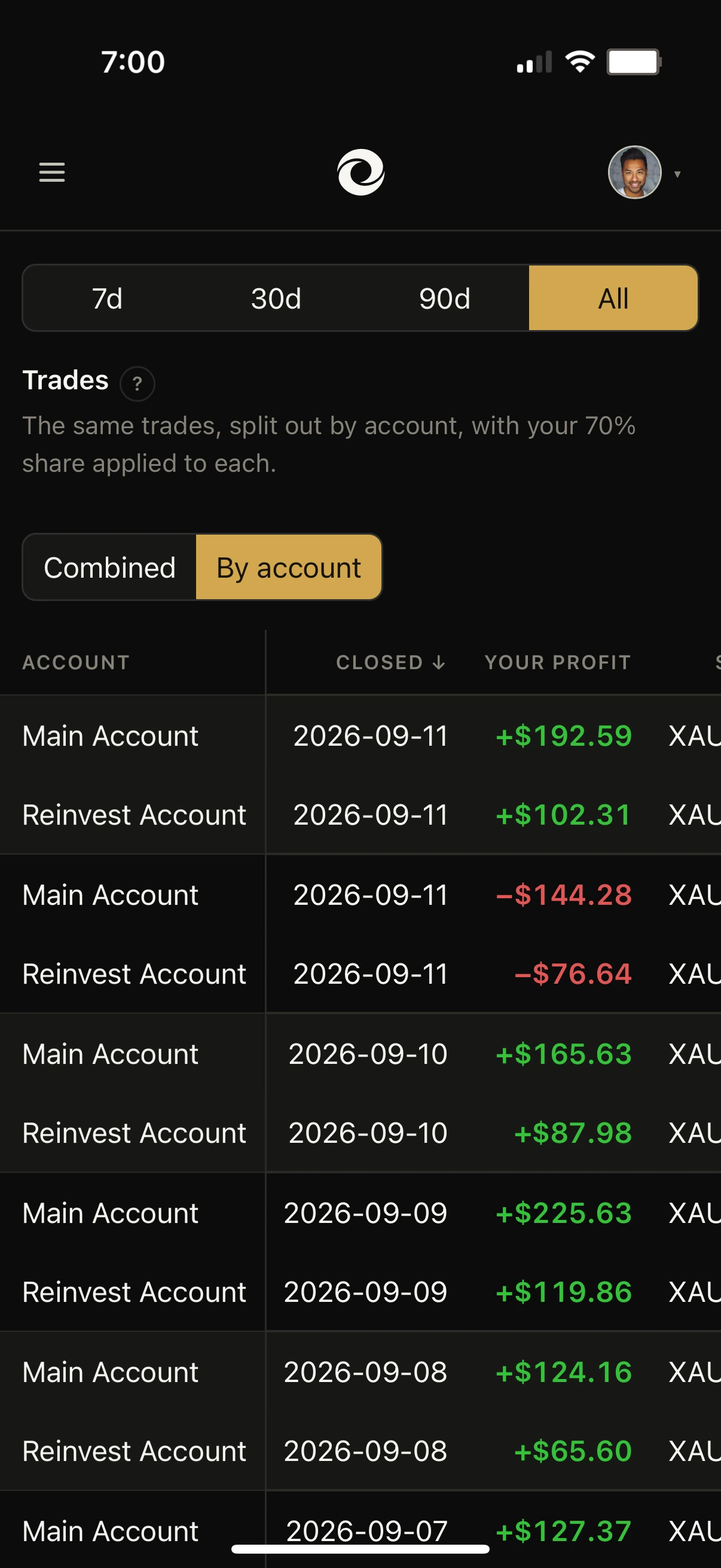
Your accounts copy the same trader, so every trade lands in all of them. Torvalio can show you the decision or its parts.
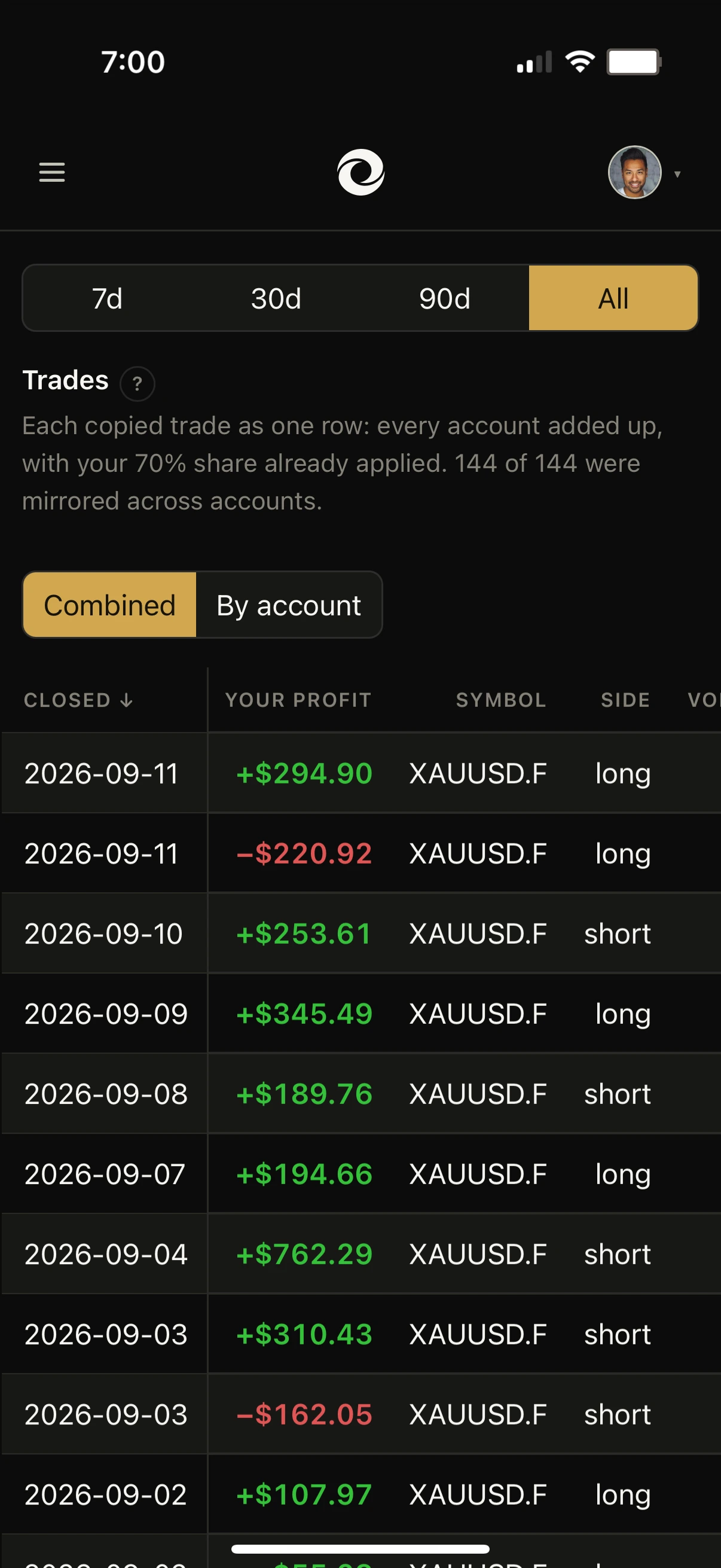
One row per trade, every account added together with your share already in it. One decision, not one row each.
The same trades, one row per account, each part carrying your share so the parts still add up to the row above.
Connect your CopyX accounts and see your own numbers
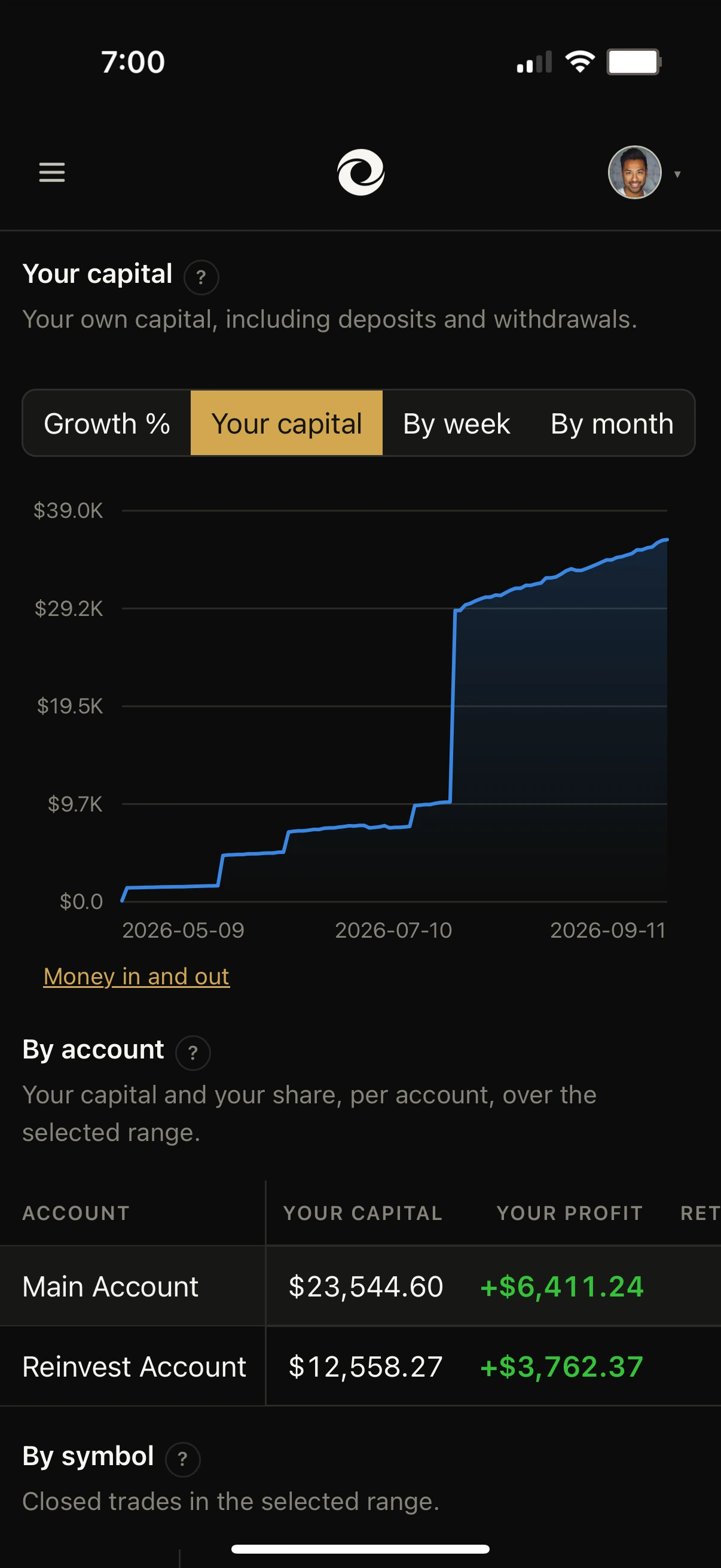
Connect your accountGrowth % ignores every deposit. Your capital is nothing but deposits. Each screen answers its own question, so the one you want depends on what you are asking.
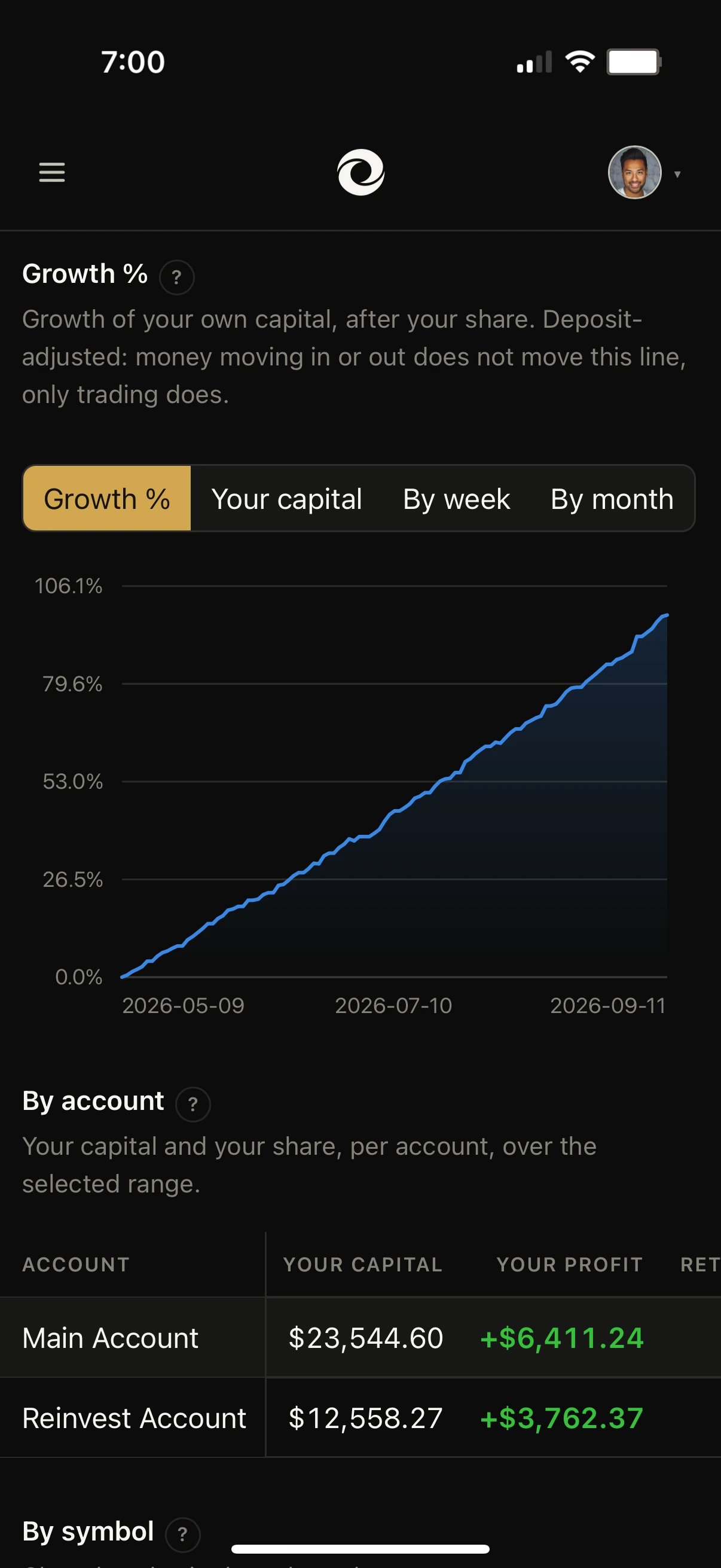
Time-weighted, so money moving in or out never registers. Reinvest on Monday and the line does not jump; withdraw on Friday and it does not dip. What is left is trading and only trading.
The opposite line, on purpose. Every deposit is a step, because this one is the record of what you put in and took out rather than of how the trading did.
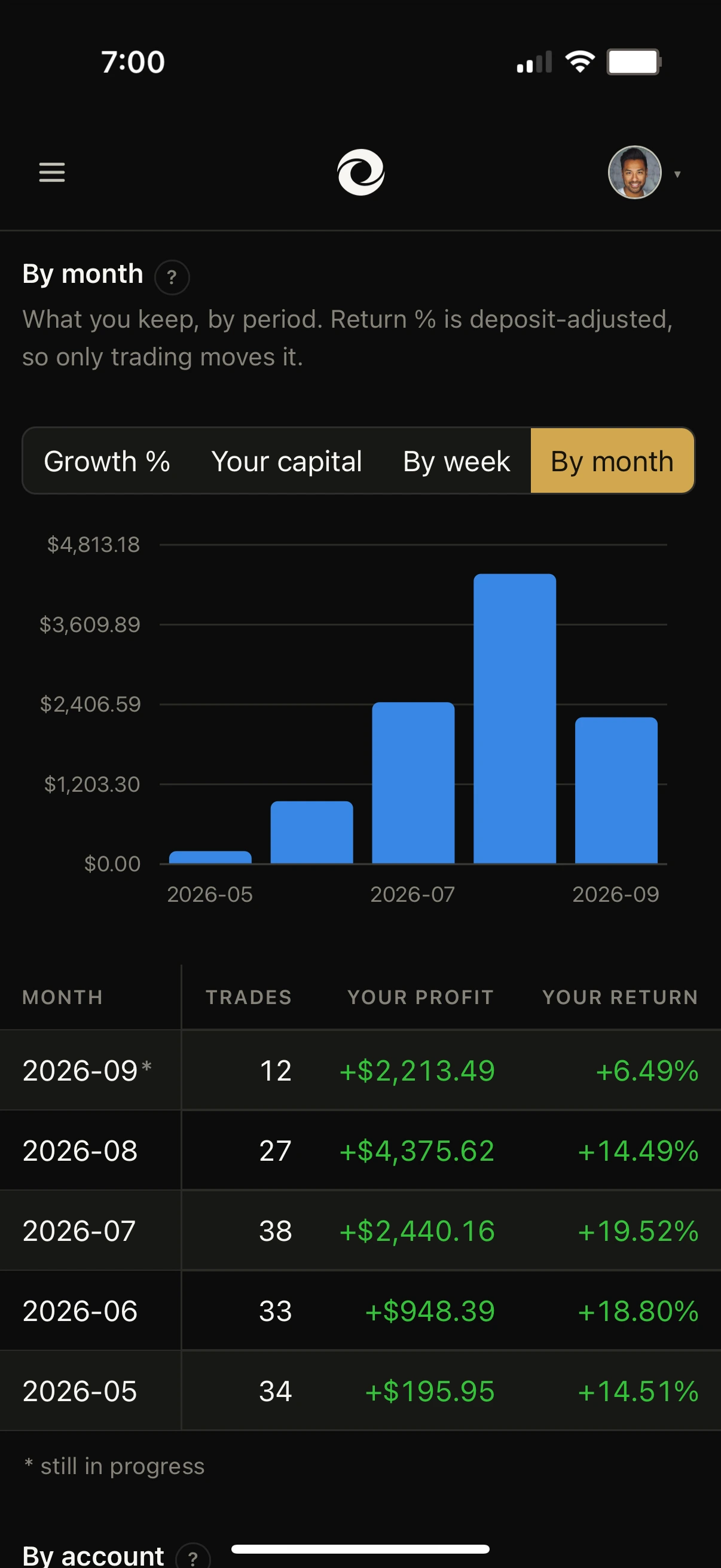
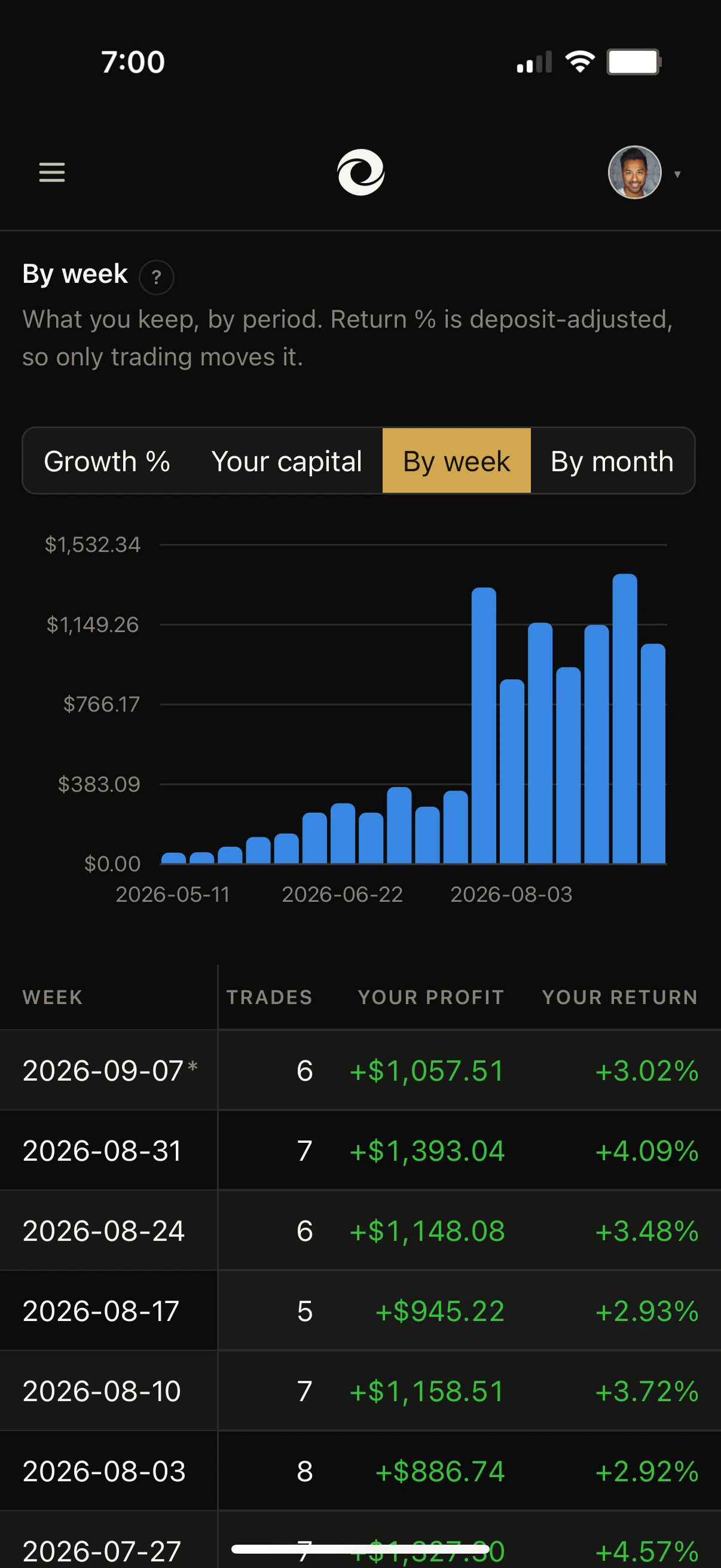
Every week totalled, with the trade count, what you kept and the return. The period still running is marked, so a partial week is never mistaken for a finished one.
The same range by month, where a quiet week stops looking like a trend and the shape of the account is easier to read.
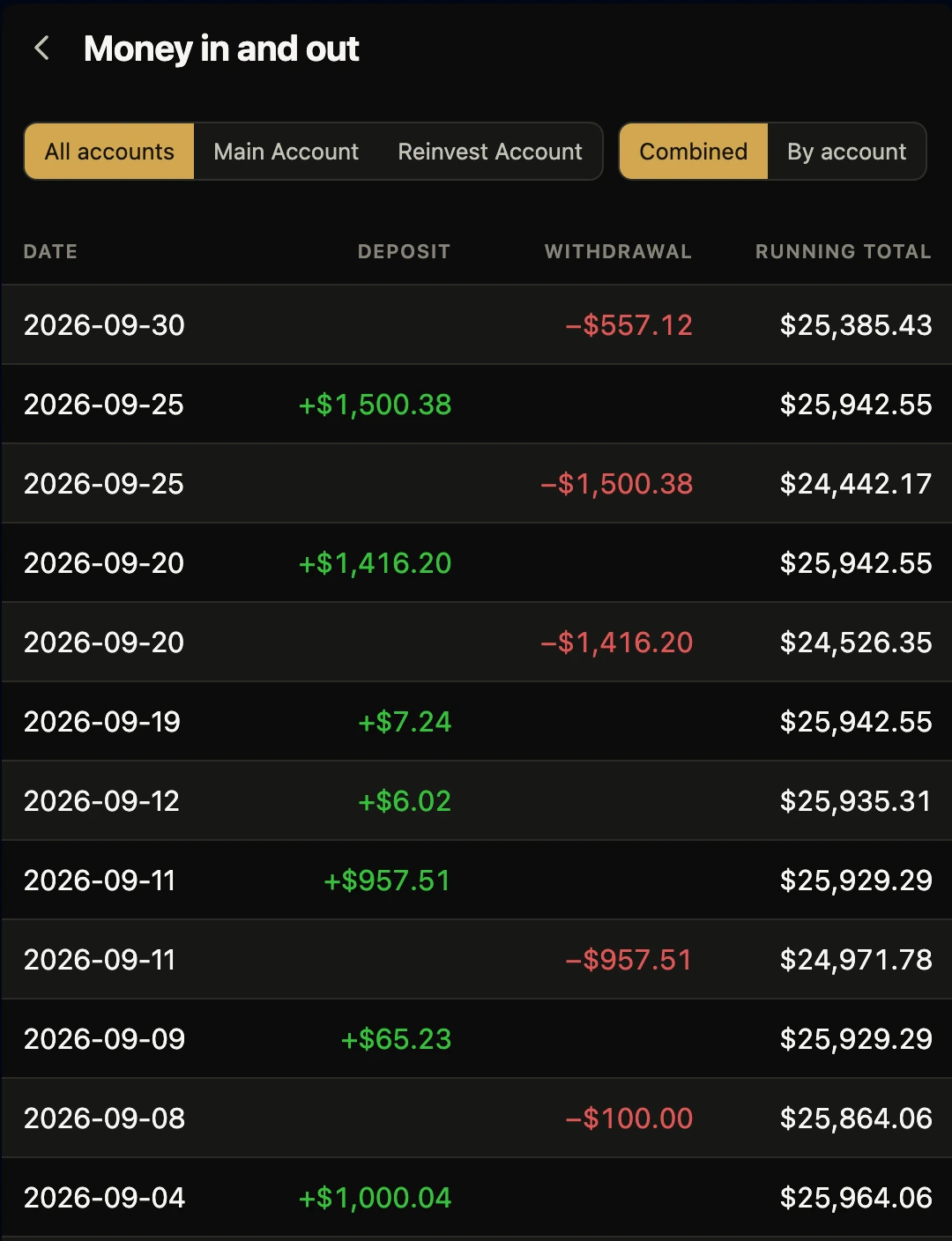
The capital line shows the steps. This is the ledger behind them: every movement dated, with a running total that adds up to what you have put in and left in. Combined across your accounts, or one at a time.
A trip, a car, the year you stop working. Set it as a target and Torvalio gives you the month you reach it.
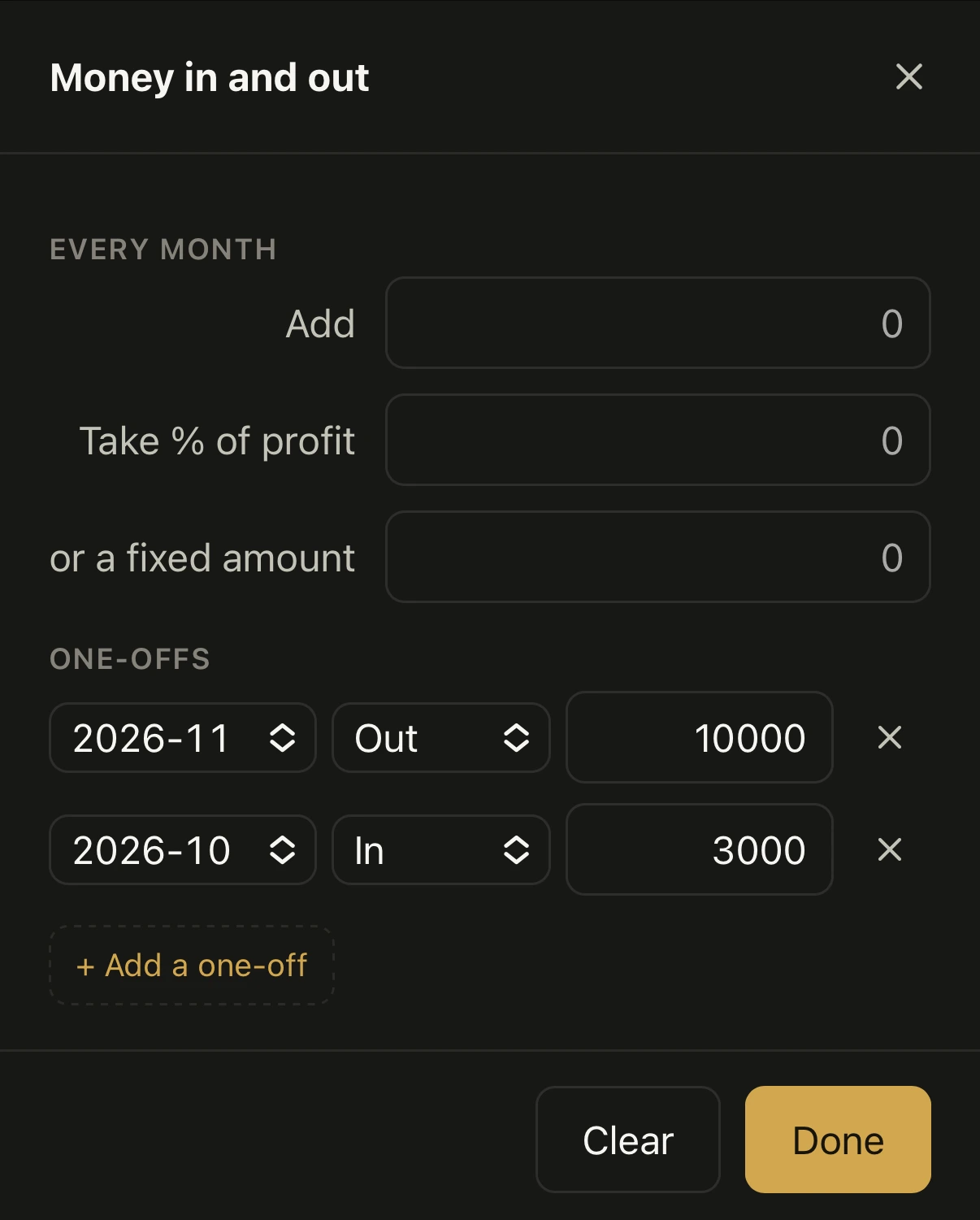
Two targets, and a plan that puts $3,000 in this October and takes $10,000 out next November for the trip.
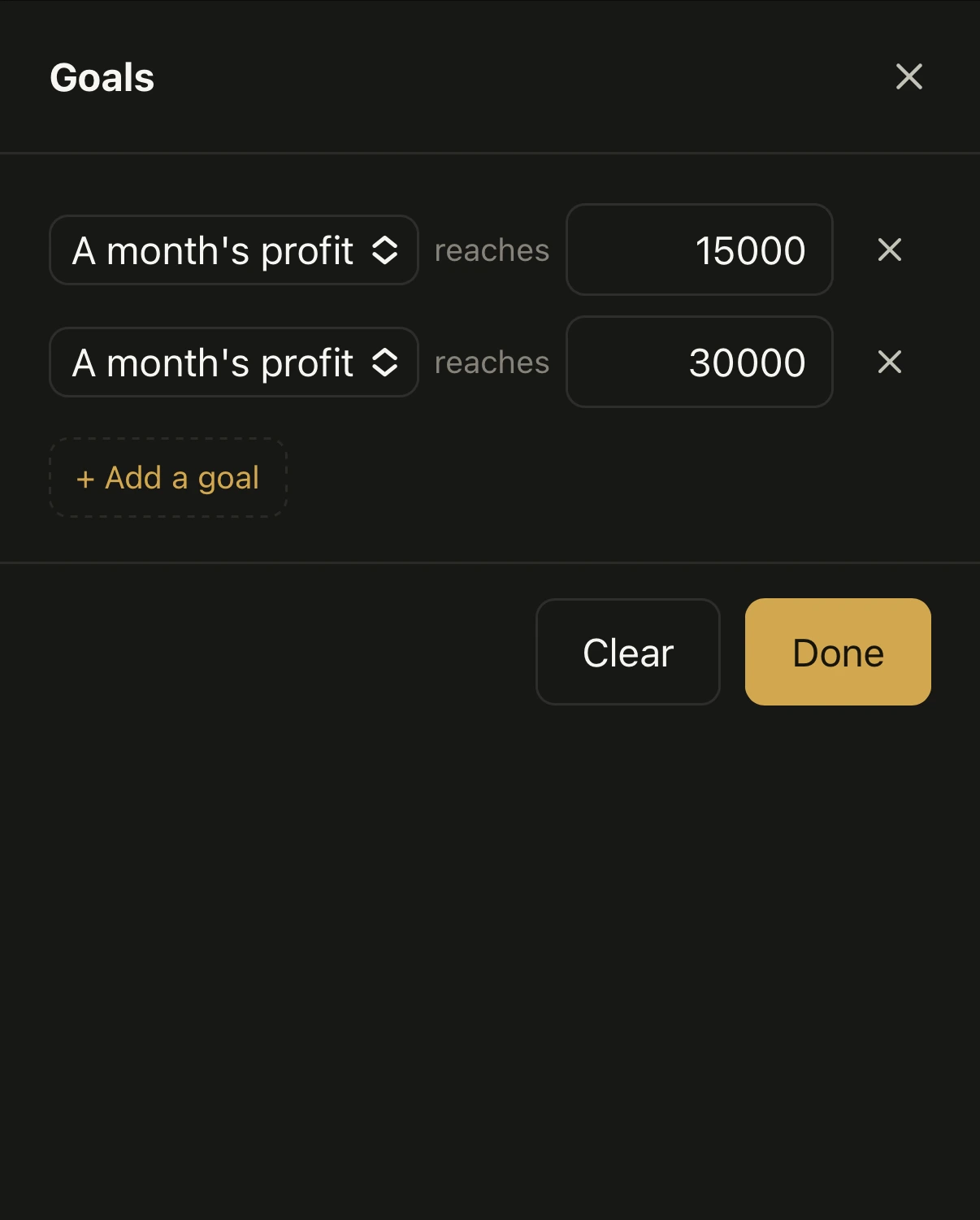
A month’s profit $15,000.002027-06 · 10 months
A month’s profit $30,000.002027-10 · 14 months
| Month | Your profit | Money in and out |
|---|---|---|
| 2026-10 | $6,605.81 | +$3,000.00 |
| 2026-11 | $7,628.72 | −$10,000.00 |
| 5 months | ||
| 2027-05 | $14,916.13 | |
| 2027-06 | $17,225.89 | |
| 2 months | ||
| 2027-09 | $26,531.30 | |
| 2027-10 | $30,639.67 | |
Ten months to the first target and fourteen to the second, with the trip already paid for. Those are dates somebody can plan around, instead of numbers they are guessing at.
Past results do not predict future results. A projection is arithmetic on a rate you choose.
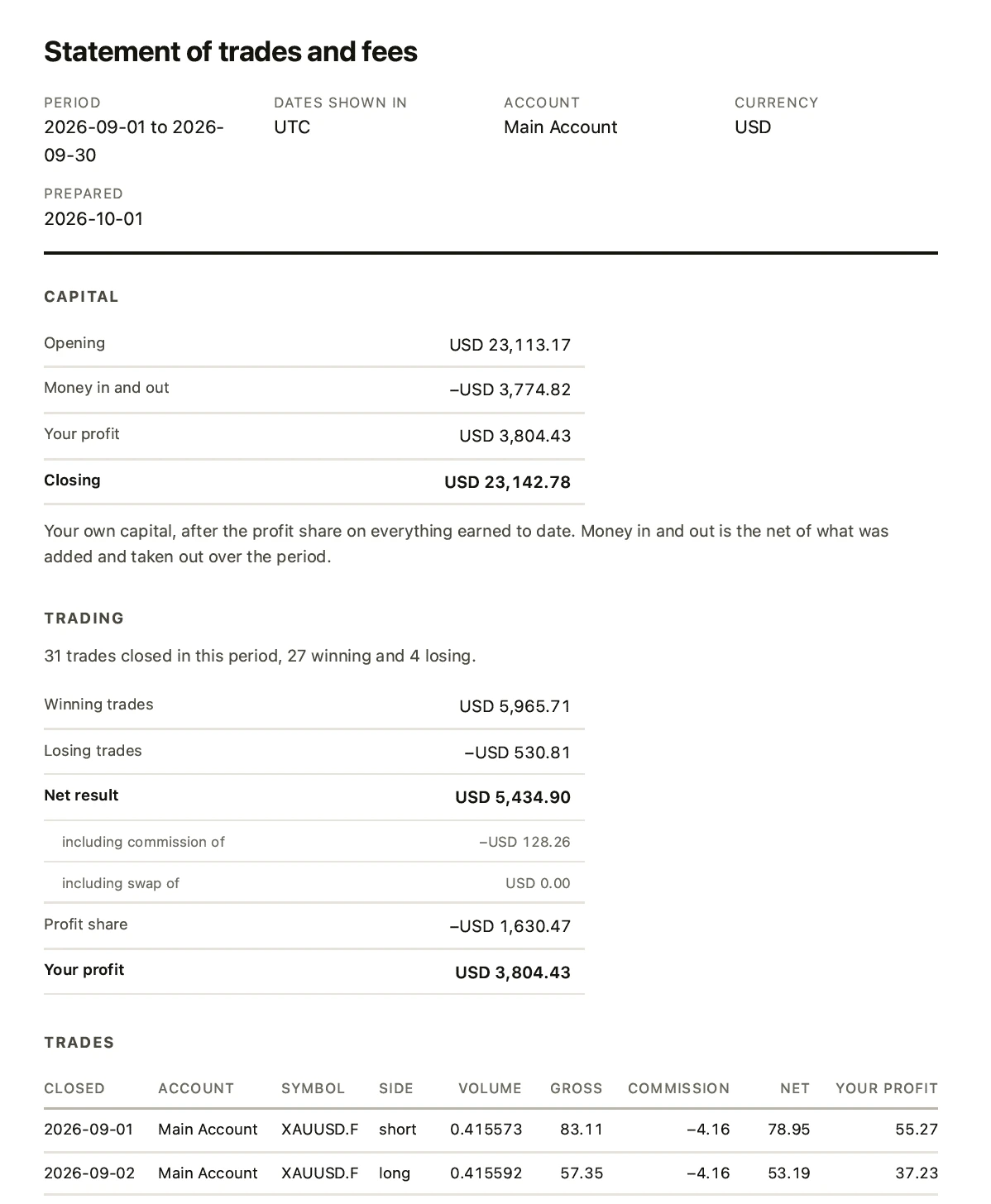
Any period, any account, as a document for a lender, an accountant or a tax return: opening capital, what moved, what you kept, and every trade behind it. Print it, save it as a PDF, or take the rows as a spreadsheet.
Add an account, give it a name you will recognise, and your closed trades are on screen. It stays current on its own from there.
 Connect and name them
$39$19.50first month, then $39 per month
Up to two CopyX accounts. Each additional account $12 a month.
Read-only access. Torvalio cannot place trades.
Works with CopyX accounts on MetaTrader 5.
What’s included
No. Its access to the terminal is read-only, and it has no ability to place an order at all.
Torvalio asks for your MetaTrader investor password, which is read-only by design. It could not place a trade even if someone else had it.
Torvalio never stores it. It goes straight to the terminal service that holds the connection open, and Torvalio keeps only the account reference. Our database has no password in it to leak.
Your last four complete weeks, across every connected account, with your share applied. You can change it to any rate you want and watch the arithmetic respond.
Past results do not predict future results. A projection is arithmetic on a rate you choose.
Money added every month, a share of profit taken out, a fixed income drawn down, and any number of one-offs pinned to a month. Each rule can run for a set number of months or carry on.
Then set targets and see which month each one is reached, with the plan applied rather than against the untouched line.
A couple of minutes. Sign up, enter your investor password, and your closed trades load.
Two are included at $39 a month. Additional accounts are $12 a month each, billed monthly or annually.
Ask within 14 days and you get a full refund, on either plan. Email support@torvalio.com and tell us what went wrong.
After that you can cancel any time and keep Torvalio until the period you have paid for ends. Your history is parked rather than deleted, so coming back later is instant and costs nothing.
No. Torvalio is an independent product, built by a CopyX user for his own accounts. We are not connected to CopyX or Tag Markets in any way.
About two minutes. Read-only.